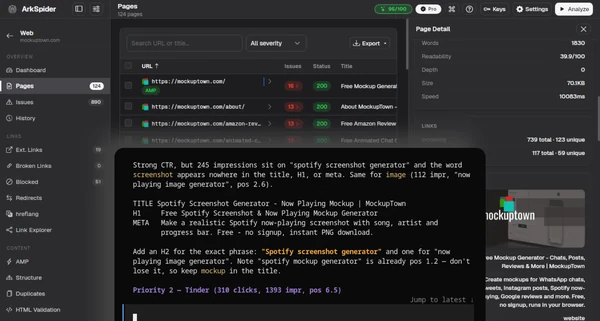
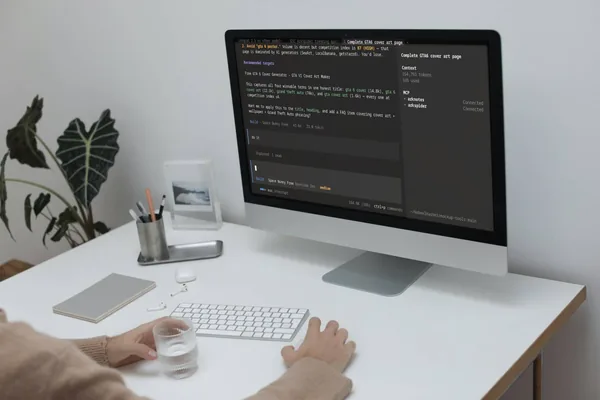
Every page gets opened. Every link gets followed. Titles, meta, headings, canonicals, schema, redirects, broken links, duplicate content, speed, accessibility, security headers, robots.txt, sitemaps. Then ArkSpider tells you what matters first. When you are ready, it hands the list to your AI, opencode, Claude Code, Cursor or Windsurf, and the source file gets found and fixed. That is the whole product. There is no step two you have to figure out alone.
The part nobody else does
The edge
AI Readiness score. A 0 to 100 number for how well AI search engines (AI Overviews, ChatGPT, Perplexity) can understand your site. That means structured data, authorship, citations, freshness, and an llms.txt audit against the actual rules. Auto-fix through MCP. ArkSpider connects to opencode, Claude Code, Cursor and Windsurf. Your assistant reads the issues, finds the exact source file behind each one, and fixes it. Then you re-crawl just those pages to prove it. Rescan. Verify. Done. AI content check. It can score your pages for machine-written text, sentence by sentence, and tell you which phrases are triggering it. Title help. Using real Google search data, it suggests titles that people actually search for. Keyword volumes. Real Google Ads data on how many people search for your keywords each month, competition, and the 12-month trend. You know what to write about because you see the numbers.How a run goes
Crawl it, read it, fix it
Step oneIt crawls the way a search engine does
Point it at your site and it opens every page and follows every link, with JavaScript rendering for modern apps. What Googlebot sees, it sees. The dashboard gives you the health score, top pages and an issues summary, and the pages table lets you sort, filter and rescan a selection. Run history keeps every crawl so you can put two runs side by side.
- Playwright engine with JS rendering
- Sortable, filterable pages table
- Rescan just the pages you select
- Health score, with run history
Step twoIt shows you everything that is wrong
The issue list is searchable and filterable by severity and category, so you are not scrolling through noise. Ignore the ones you do not care about, ignore every similar one in a click, and send the rest straight to your editor. Open in editor maps each issue back to the exact source file in your codebase, not just the URL.
- Schema, HTML, AMP and accessibility validation
- Near-duplicate detection with vector embeddings
- Broken links, redirect chains, robots and noindex blocks
- Ignore, ignore-similar, and open in editor
Step threeThe numbers are real, not estimated
Core Web Vitals come from online PSI or a local Lighthouse run, whichever is more accurate, with real Chrome field data from CrUX on the same row. Search analysis pulls GSC and GA4 in so you can see clicks, impressions and top queries in one place. Keyword lab gives you volume, competition, bid range and a 12-month trend from Google Ads data, so you know what to write about before you write it.
- LCP, TBT, CLS, FCP and SI with CrUX field badges
- GSC and GA4 fused, per query and per page
- Keyword volume, competition and 12-month trend
- AI readiness score for LLM visibility
Step fourYour AI does the fixing
ArkSpider speaks MCP, so it plugs straight into opencode, Claude Code, Cursor and Windsurf. Your assistant reads the ranked issues, calls locate to find the exact file and line behind each one, edits it, then rescans those pages to prove the fix landed. Rescan, verify, done. It also writes your AGENTS.md and runs headless from the command line if you never open the GUI.
- MCP server: locate, rescan, run_ai_analysis
- Source locator finds the exact file and line
- AGENTS.md generated for your project
- Full functionality from the CLI